 Firstweb
集客AIアシスタント
集客AIアシスタント is a tool that lets restaurant owners check how their restaurant is doing on Google Maps, publish posts to their Google Business Profile, and reply to reviews, all from LINE. It is developed and operated by Firstweb.
You need an invitation code issued by your agency to use the service.
Features
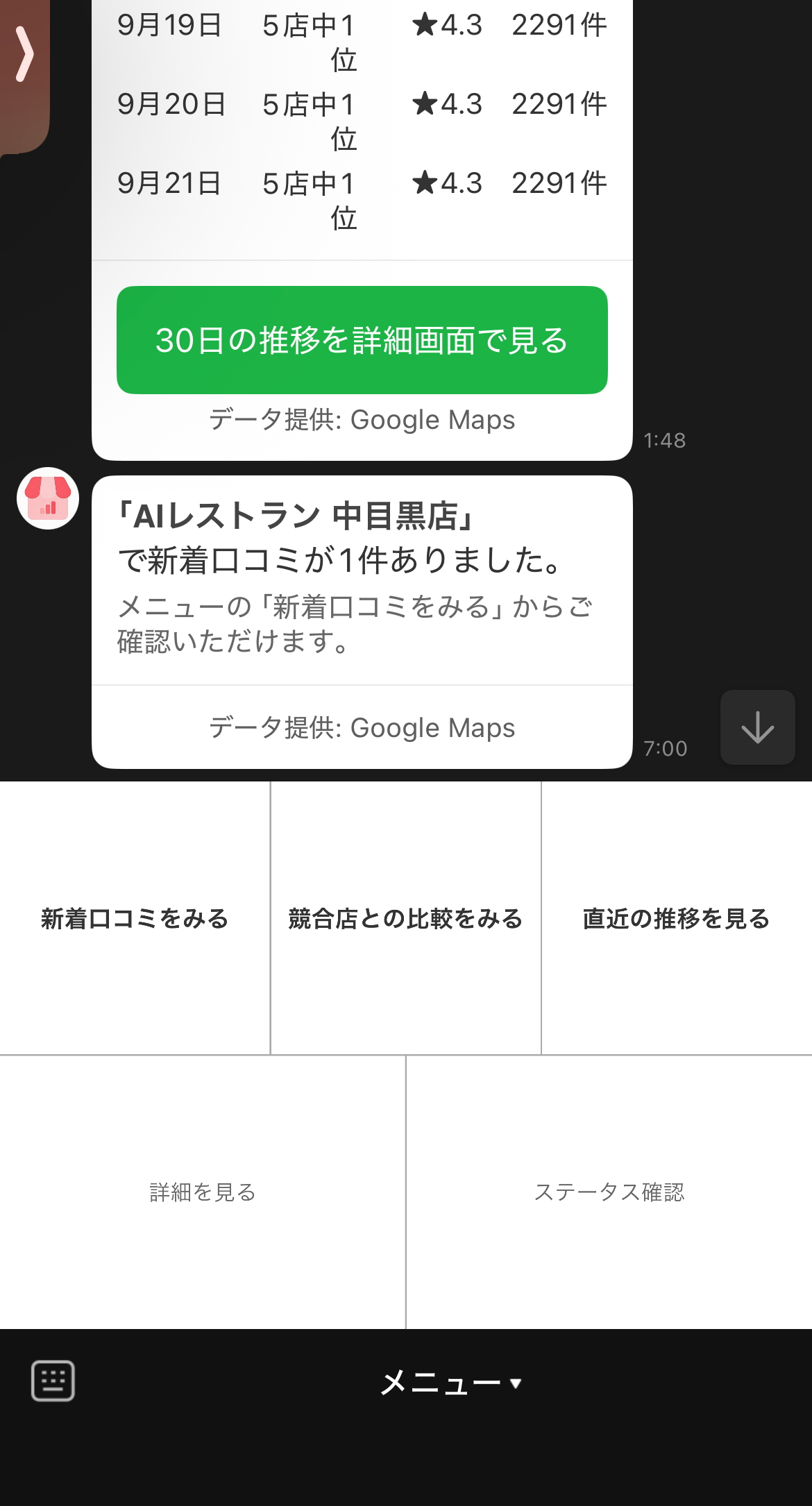
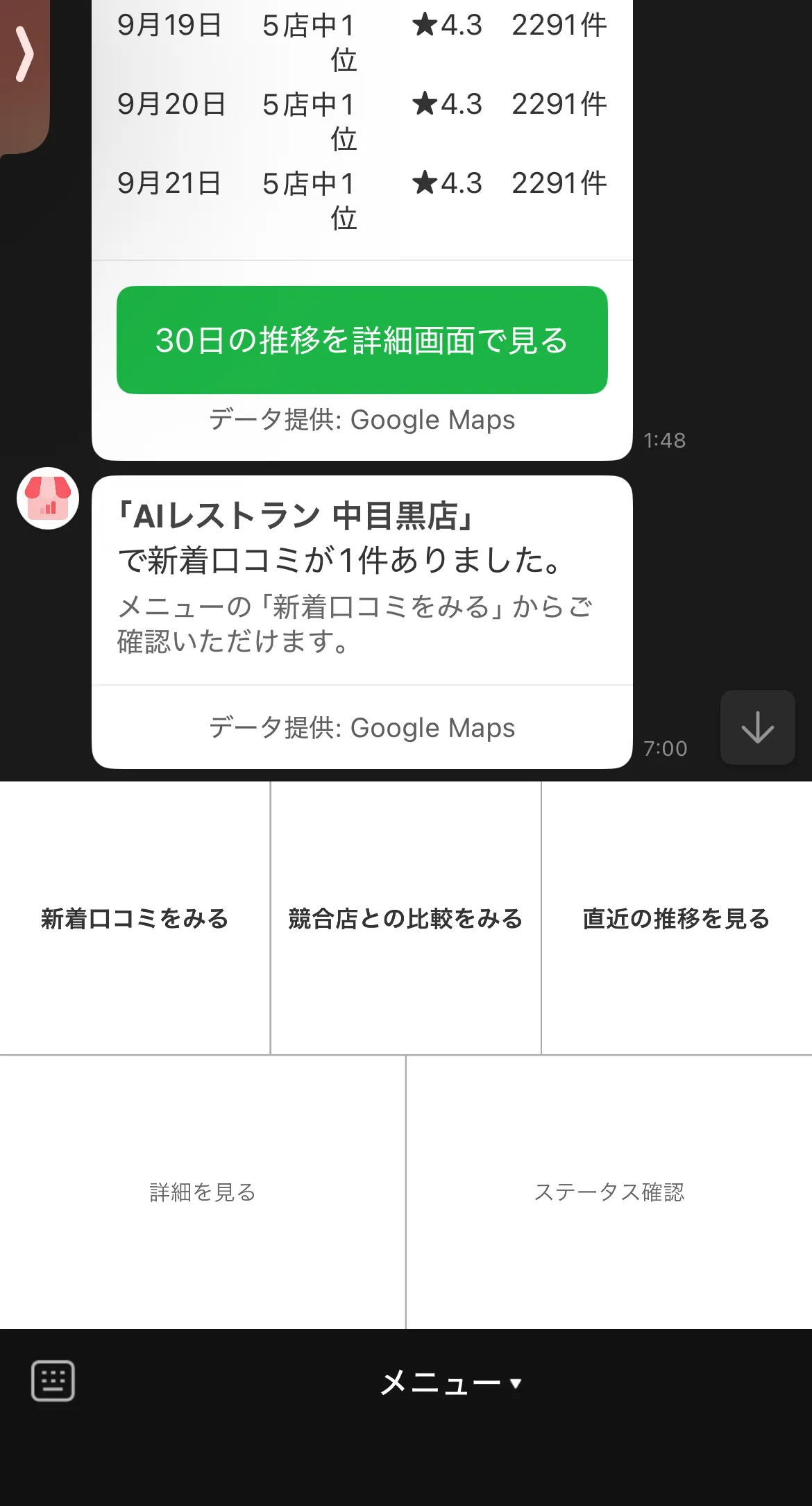
Notifications on days with changes
On days when a new review arrives or your rank among nearby restaurants of the same type changes, we send a short notification to LINE with the restaurant name and the change. We send nothing on days without changes.
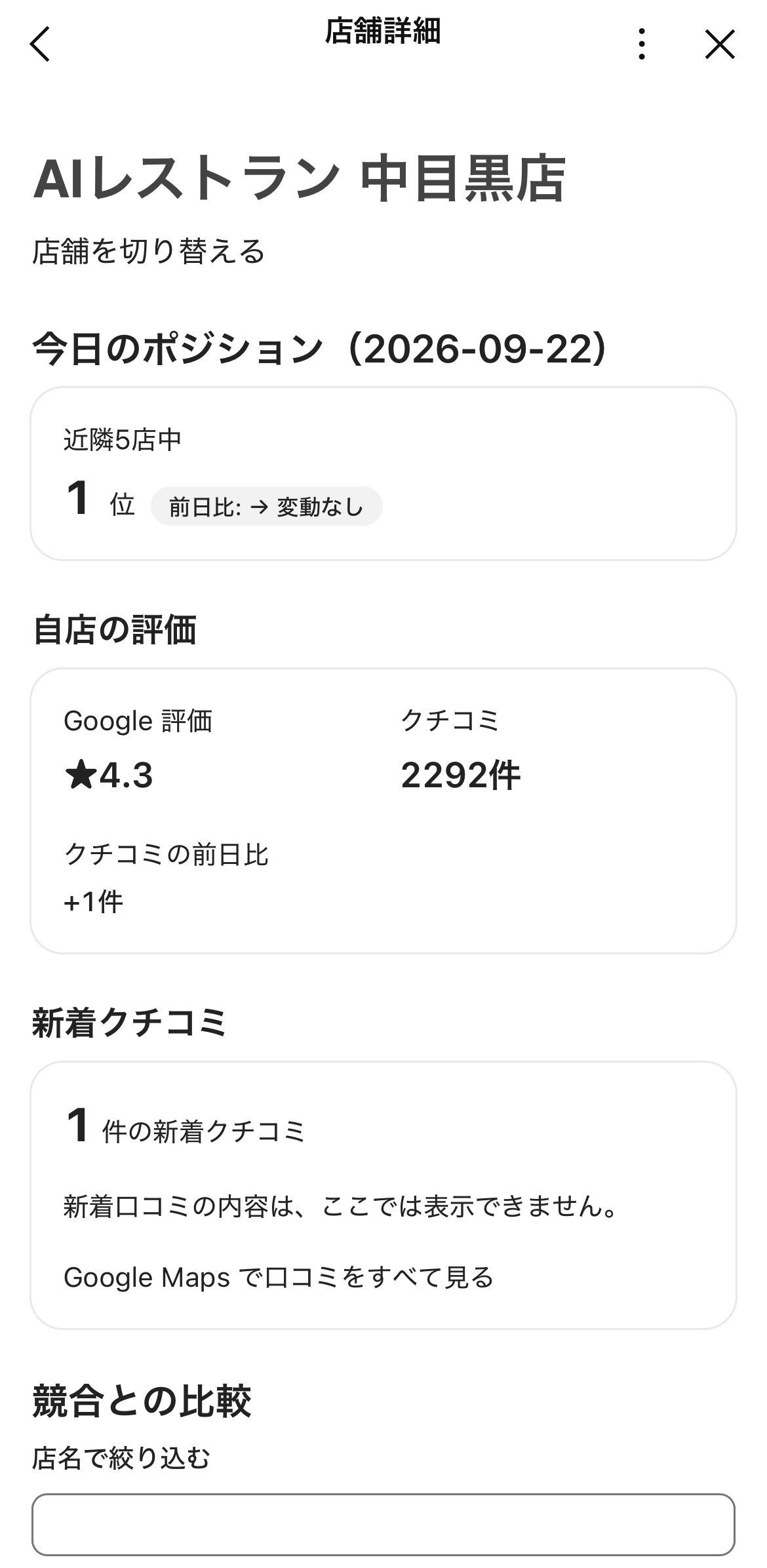
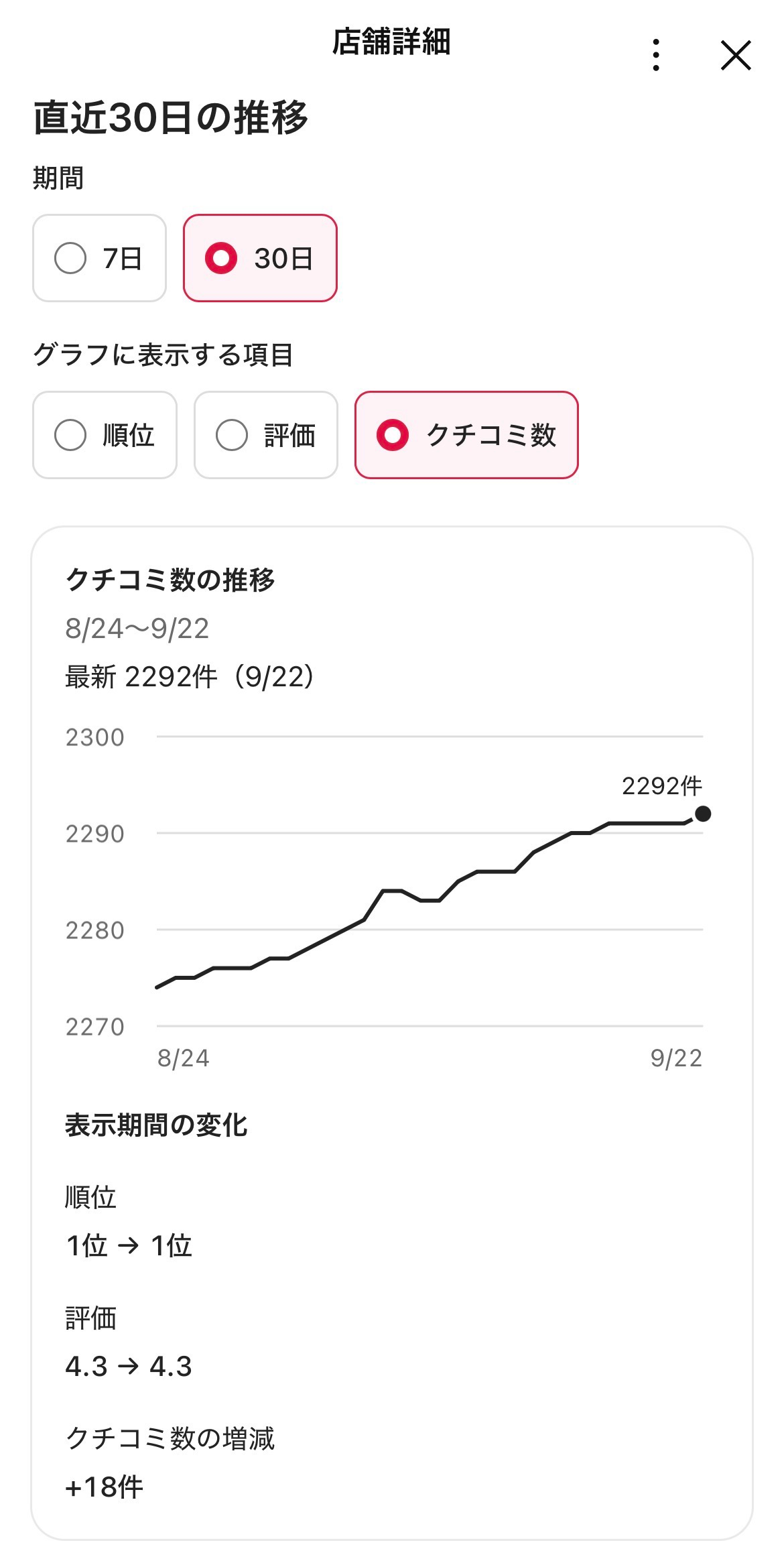
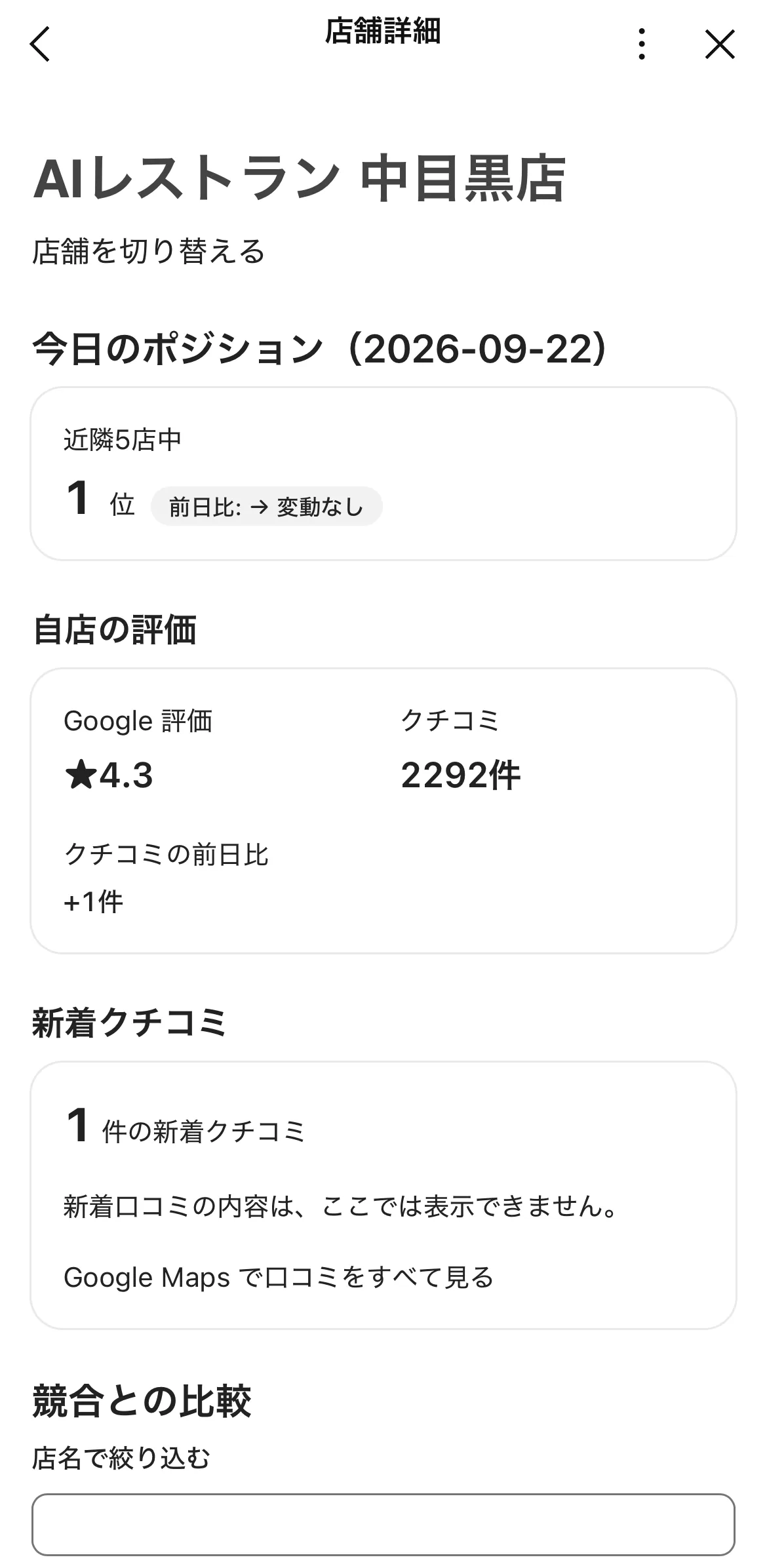
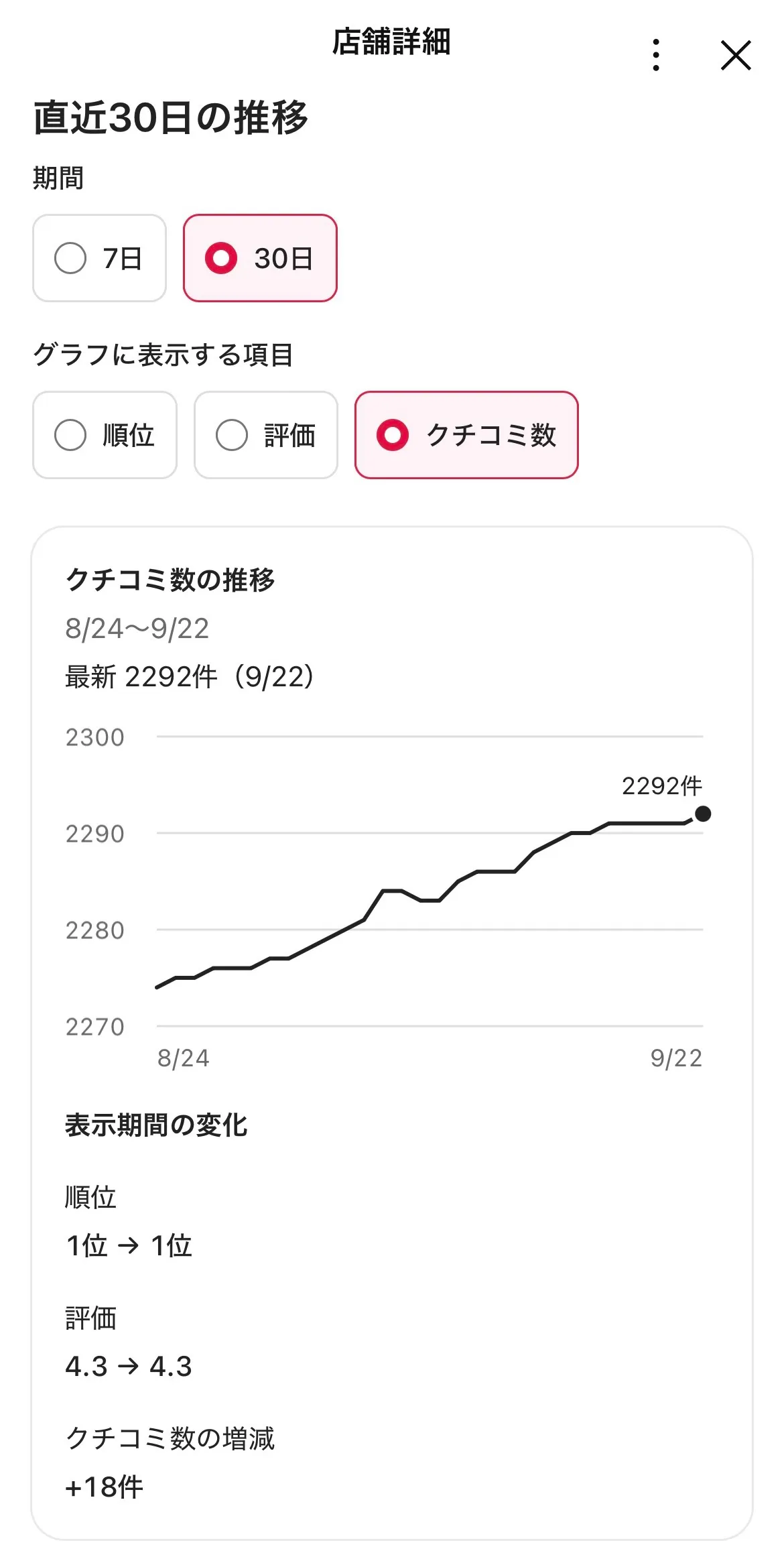
Actual screens. Restaurant names are masked. Reports from the menu, any time
From the LINE menu, you can check new reviews, a comparison with competitors, and recent trends at any time. The details screen opens inside LINE and shows your rank among nearby restaurants of the same type, your star rating and number of reviews, and charts of the last 7 or 30 days. The menu appears in LINE for smartphones.
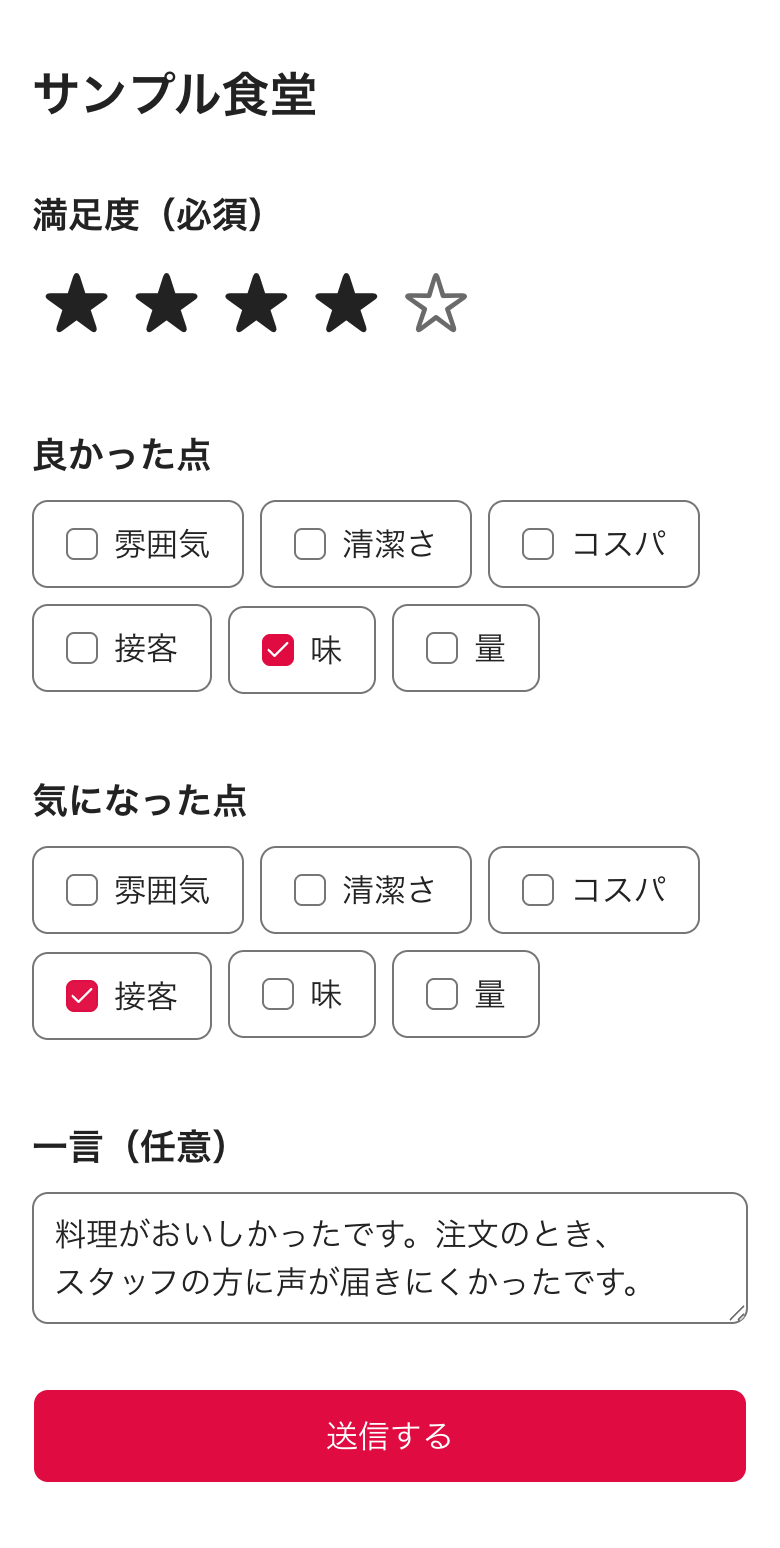
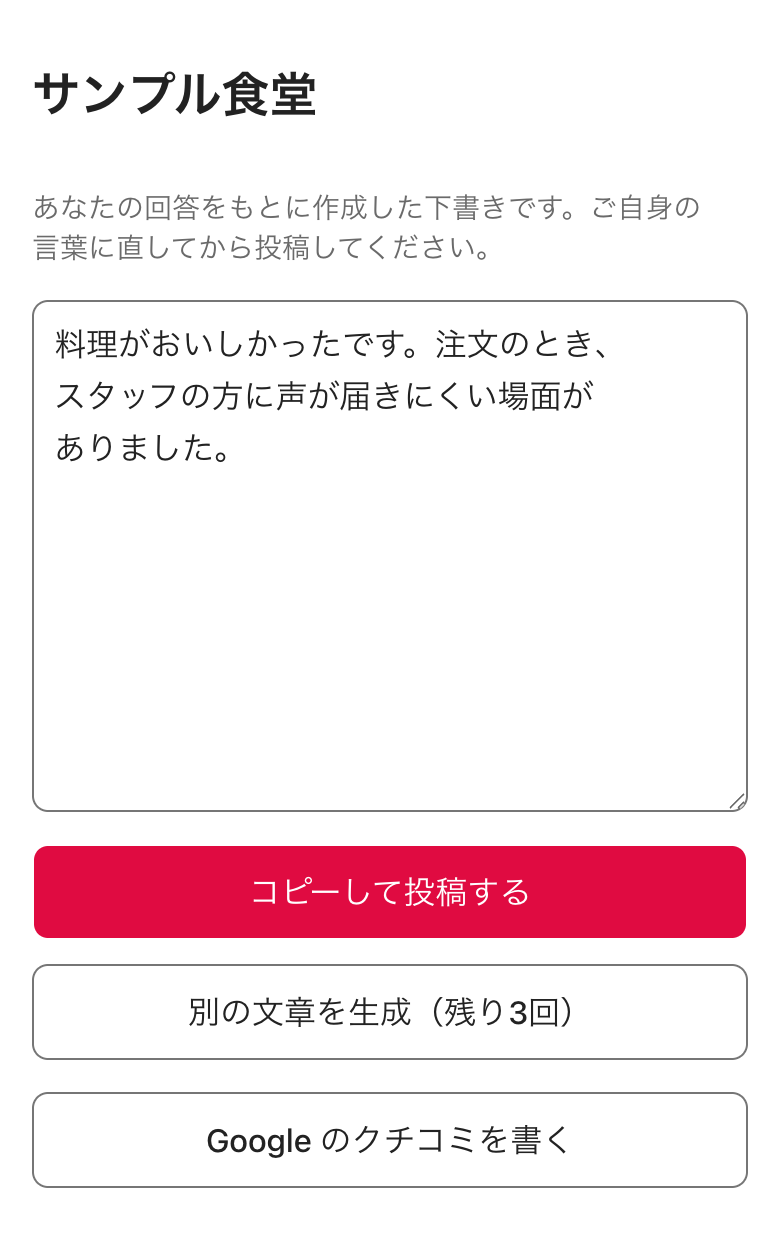
Actual screens. Restaurant names are masked. Review drafts from QR codes
When customers scan the QR code in your restaurant and answer a short survey (a star rating, plus what they liked and what could be better), AI drafts a review from their answers. Customers edit the draft in their own words and post it to Google Maps with their own Google Account. The guidance is the same regardless of the rating, and customers decide whether to post. Answers are stored only as totals for each restaurant, and we do not collect customers' personal information.
Visit the QR review pageSample data.
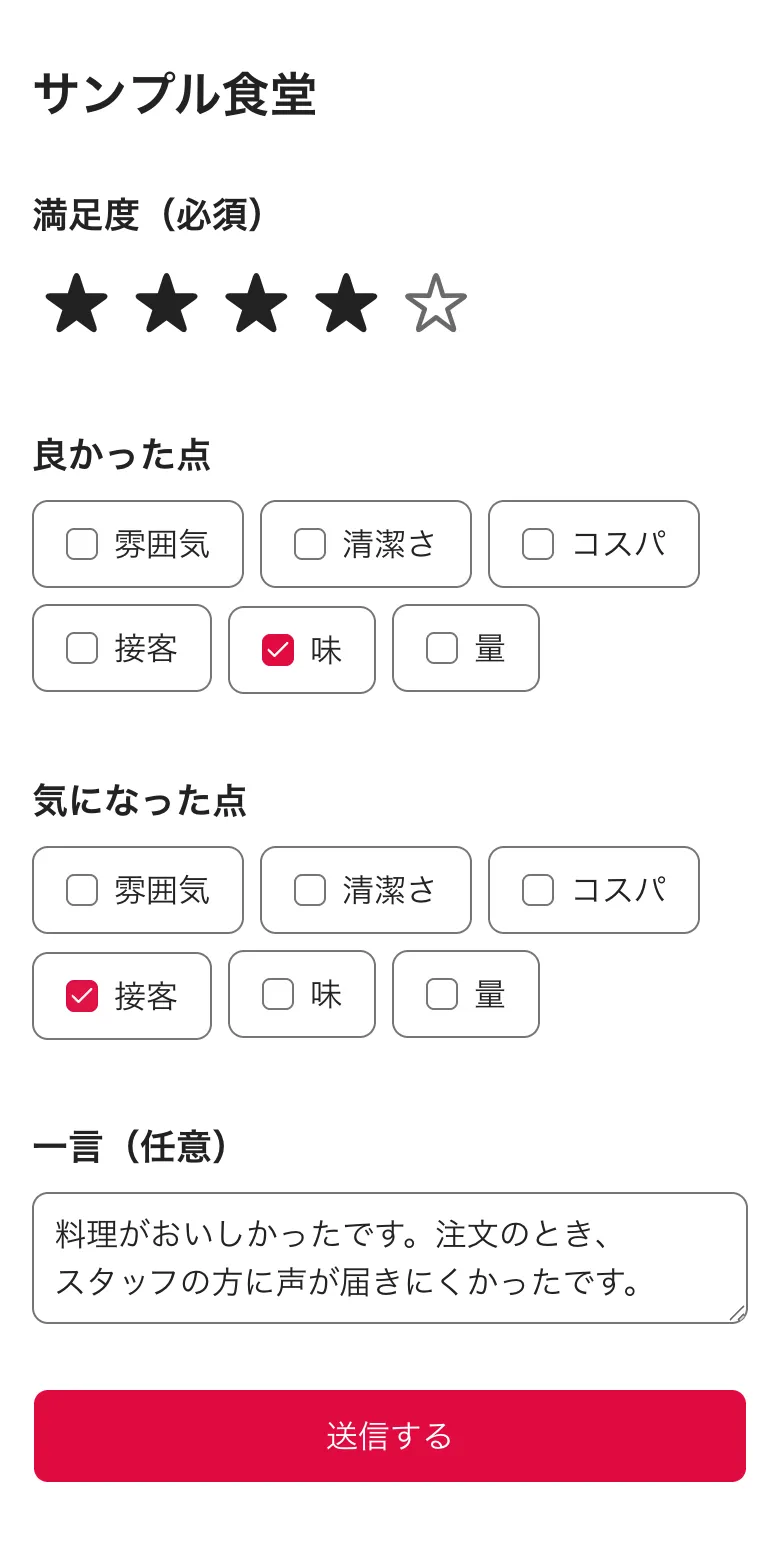
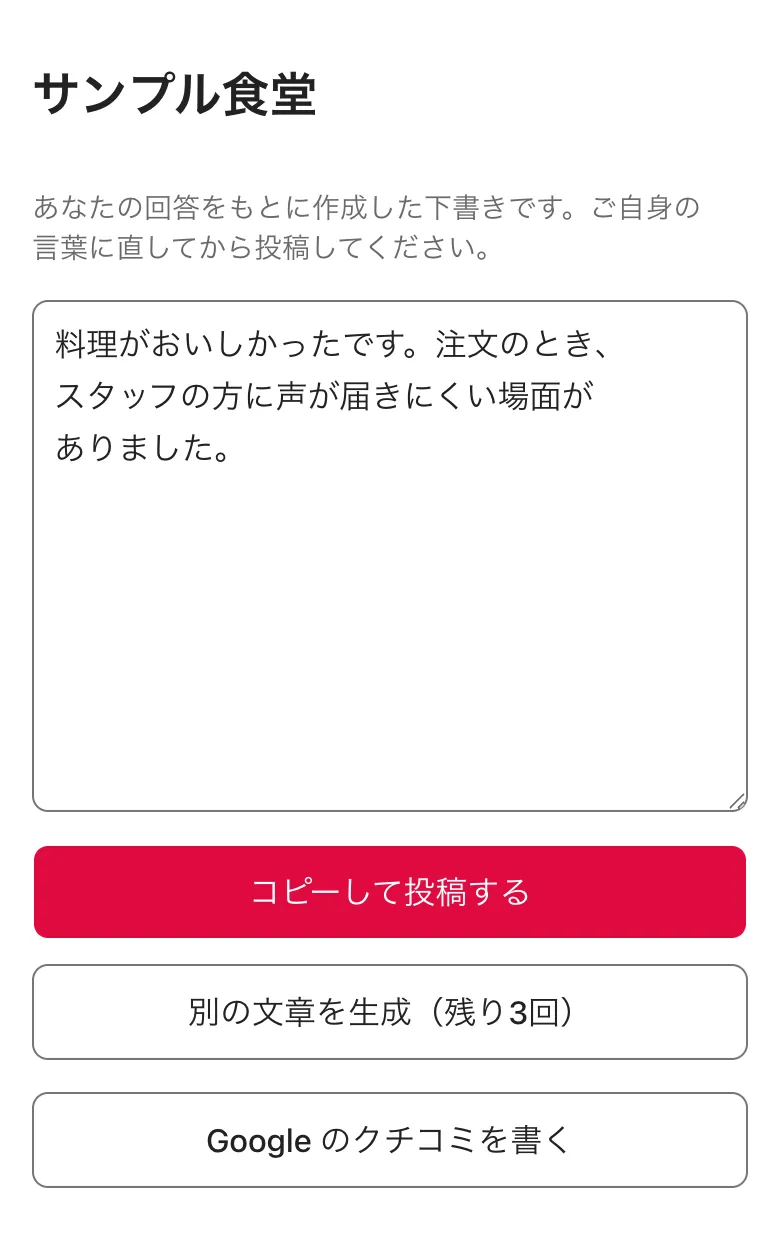
We never publish posts or replies automatically without the owner's approval.
How it works
Add our LINE Official Account as a friend
There is no app to install and no account to create.
Send your invitation code
Send the invitation code issued by your agency in the LINE chat.
Register your restaurant
Send the name of your restaurant, and choose it on Google Maps from the suggestions.
Check notifications and the menu
On days with changes, a notification arrives on LINE. Reports are available from the menu at any time.
Connect your Google Account when you need it
When you want to use posts and replies, we guide you through connecting your Google Account. Connecting is optional.
Connecting your Google Account
We ask you to connect your Google Account only if you want to use posts and replies. Change notifications, reports from the menu, and review drafts from QR codes all work without connecting.
Permission we request
Manage your Google Business Profile (OAuth scope)
https://www.googleapis.com/auth/business.manage
What we do with this permission
- List the Business Profile accounts and locations you manage, so you can choose the restaurant to connect
- Retrieve reviews of the connected location and post the replies you approve
- Create the posts (such as updates) you approve
What we never do
- Publish posts or replies without the owner's approval
- Edit business information such as opening hours or address, or add or delete photos
- Sell Google user data, use it for advertising, or use it to train generalized AI models
Data we store and how to delete it
- We store only the credential needed to keep the connection (a refresh token) and identifiers of the connected location (account name, location name, and Place ID). The refresh token is stored encrypted, and access tokens are never stored.
- Review text and other content handled while creating a draft is kept only as temporary conversation data and is deleted within 30 minutes.
- You can disconnect at any time from the LINE menu. When you disconnect, we revoke the authorization with Google and delete the stored credential and location identifiers. Deleted data is also removed from our backups, which are kept for up to 7 days.
- You can also disconnect from Third-party apps & services in your Google Account.
Use of AI (Google Gemini)
We use Google's Gemini API to create drafts. For replies, we send the review text, the reviewer's display name, the rating, and the restaurant name. For posts, we send the restaurant name and the content you sent. Under the Gemini API paid service terms, the content we send is not used to improve Google's products.
集客AIアシスタント's use and transfer to any other app of information received from Google APIs will adhere to the Google API Services User Data Policy, including the Limited Use requirements.
For details, see our Privacy Policy and the 集客AIアシスタント Terms of Service.
Contact us
For questions about 集客AIアシスタント, please contact us by email.
Email FirstwebAgencies register restaurants and issue invitation codes and QR codes on the dashboard. Sign in to the agency dashboard